Share the report
Anyone who can open the project can open its Slipwatch tab, so the simplest way to share is to send the project. To send the numbers themselves, download them.
One table
Section titled “One table”On any block, select Download CSV. The file holds that table as you see it, filtered and sorted, with the hidden columns too. Open it in Excel or Google Sheets.
Every table
Section titled “Every table”Select Export > Download all tables (ZIP). You get one CSV file per block on your page.

A PDF for a manager
Section titled “A PDF for a manager”-
Select Export > Download PDF.
-
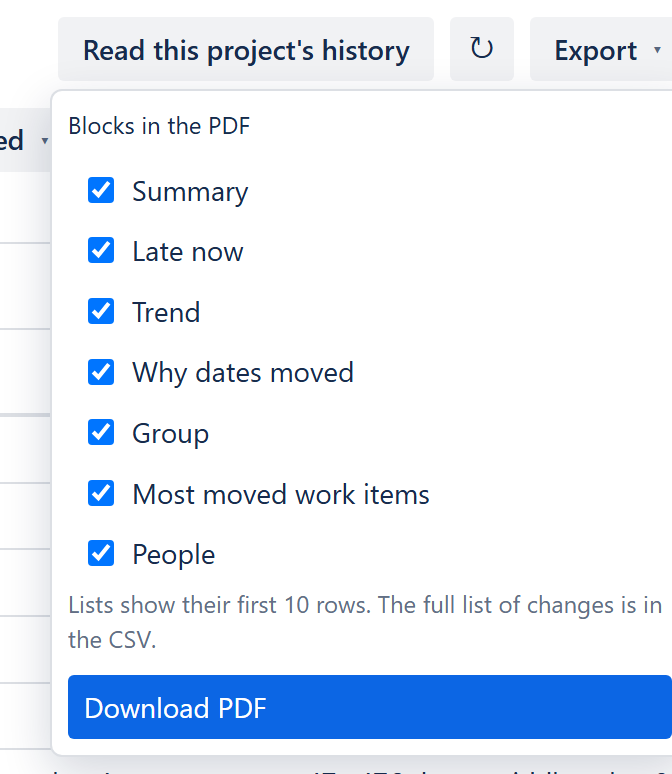
Under Blocks in the PDF, tick the blocks you want.
-
Select Download PDF.
The PDF is a summary, not a print of the page. Long lists show their first 10 rows and say how many more there are. Every page carries the project, the period and the filters. For the full list of changes, send the CSV.
A link to someone’s missing reasons
Section titled “A link to someone’s missing reasons”In Changes with no reason, set Changed by to the person, then select Copy link. The link opens the report with their list already filtered. See Fill in missing reasons.
Next: What the numbers mean
© 2026 Morriblaze Ltd · Privacy policy