Common questions
- Why don’t I see a Slipwatch tab?
- What does “Slipwatch is switched off” mean?
- Why is the report empty?
- Can I select “Read this project’s history” twice?
- Why does a first due date count as a change but add no days?
- Why can’t I lock due dates on the Free plan?
- Why did the project go back to Ask?
Why don’t I see a Slipwatch tab?
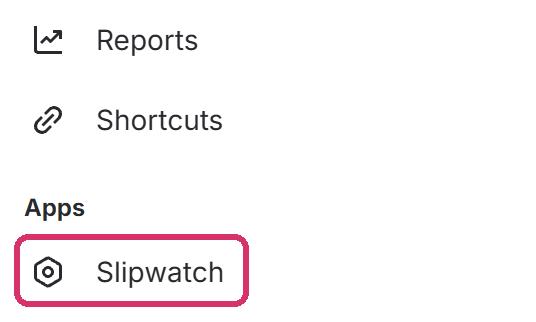
Section titled “Why don’t I see a Slipwatch tab?”Projects created after Slipwatch was installed don’t get the tab. Select + at the end of the project’s tabs. Under Apps, select Slipwatch.
What does “Slipwatch is switched off” mean?
Section titled “What does “Slipwatch is switched off” mean?”A Jira admin has switched Slipwatch off for this project. Nothing new is recorded, and Read this project’s history won’t run. To switch it on, go to Space settings > Apps > Slipwatch and turn on Watch this project. Changes recorded before are kept and show again.
Why is the report empty?
Section titled “Why is the report empty?”Slipwatch records changes from the day it’s installed, so a new install starts empty. To add older changes, select Read this project’s history. See Get your first report.
If the pickers are set, they may match nothing. Select Clear all.
Can I select “Read this project’s history” twice?
Section titled “Can I select “Read this project’s history” twice?”Yes. Slipwatch never counts a change twice. If it’s still reading, the blue message shows how far it has got.
Why does a first due date count as a change but add no days?
Section titled “Why does a first due date count as a change but add no days?”When a work item gets its first due date, nothing moved, so it adds no days. It shows in the tables as First due date set, and the Summary counts it under First due dates set, never as a move.
Why can’t I lock due dates on the Free plan?
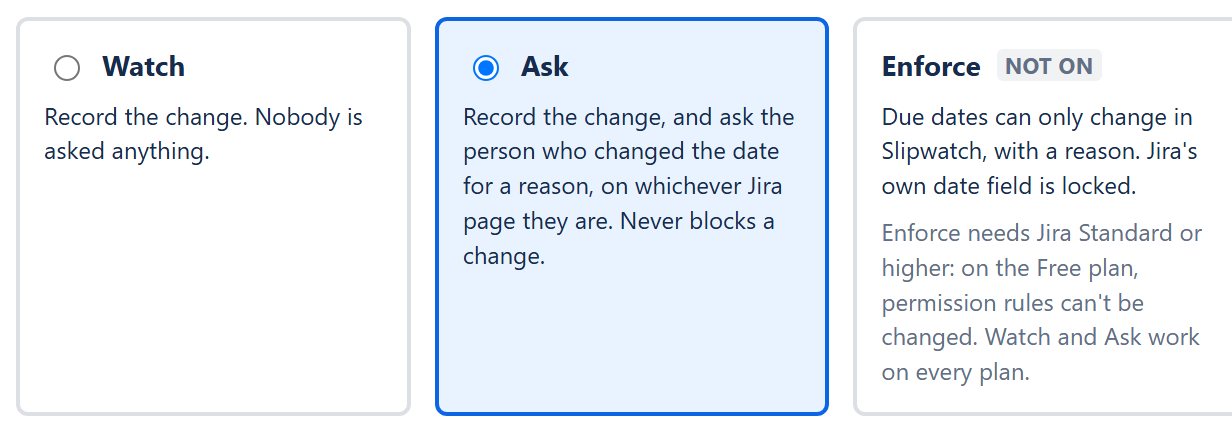
Section titled “Why can’t I lock due dates on the Free plan?”On the Free plan, Jira keeps permission rules but doesn’t let anyone change them, so nothing can take Schedule Issues away from people. Enforce needs Jira Standard or higher. Watch and Ask work on every plan.
Why did the project go back to Ask?
Section titled “Why did the project go back to Ask?”Someone gave people Schedule Issues back in Jira’s permission rules, so due dates aren’t locked any more. Slipwatch checks Jira once an hour and switches the project back to Ask on its own. The settings page and the report say when. To lock dates again, select Lock due dates. See Set up Enforce.
© 2026 Morriblaze Ltd · Privacy policy