Turn on Ask
Before you begin: only Jira admins can change Slipwatch’s settings. Every new project starts on Ask, so you may not need to do anything.
-
In the project, go to Space settings > Apps > Slipwatch.
-
Under When a due date changes, select Ask.
Ask records the change and asks the person who changed the date for a reason, on whichever Jira page they are. It never blocks a change.
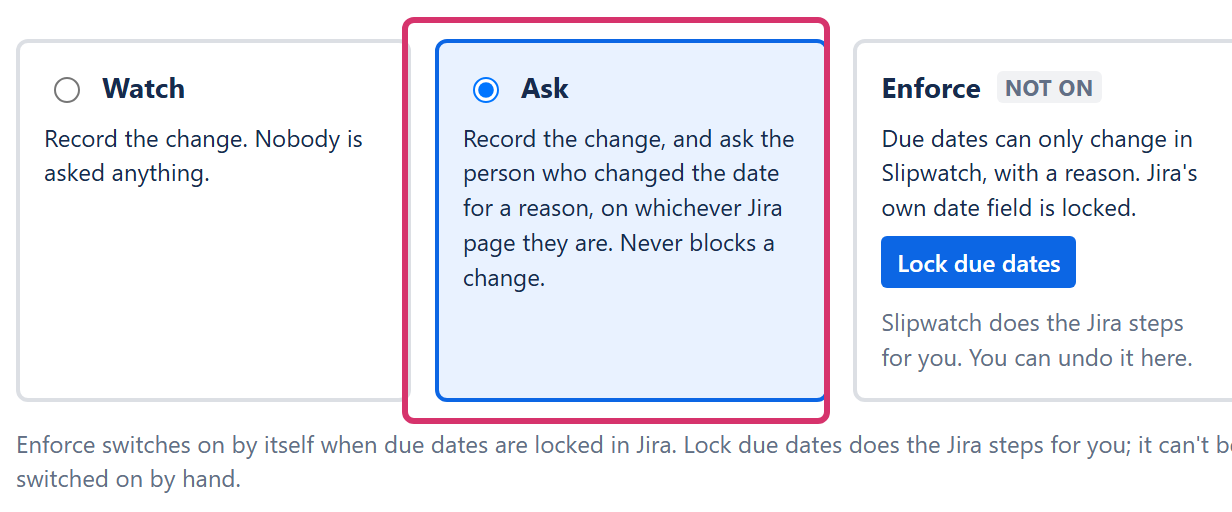
Watch records the change and asks nobody anything.
From now on, whoever changes a due date in this project sees the reason box. See When Slipwatch asks you for a reason.
Good to know: while Enforce is on, Watch and Ask can’t be chosen. To leave Enforce, unlock due dates first. See Set up Enforce.
Next: Edit the reason list
© 2026 Morriblaze Ltd · Privacy policy