Edit the reason list
Before you begin: only Jira admins can change Slipwatch’s settings. Each project has its own list.
People pick one reason from this list when a date moves. Reasons are grouped by type: Internal, Dependency, External, Correction and Other to start with.
-
In the project, go to Space settings > Apps > Slipwatch and scroll to Reasons.
-
Change the list:
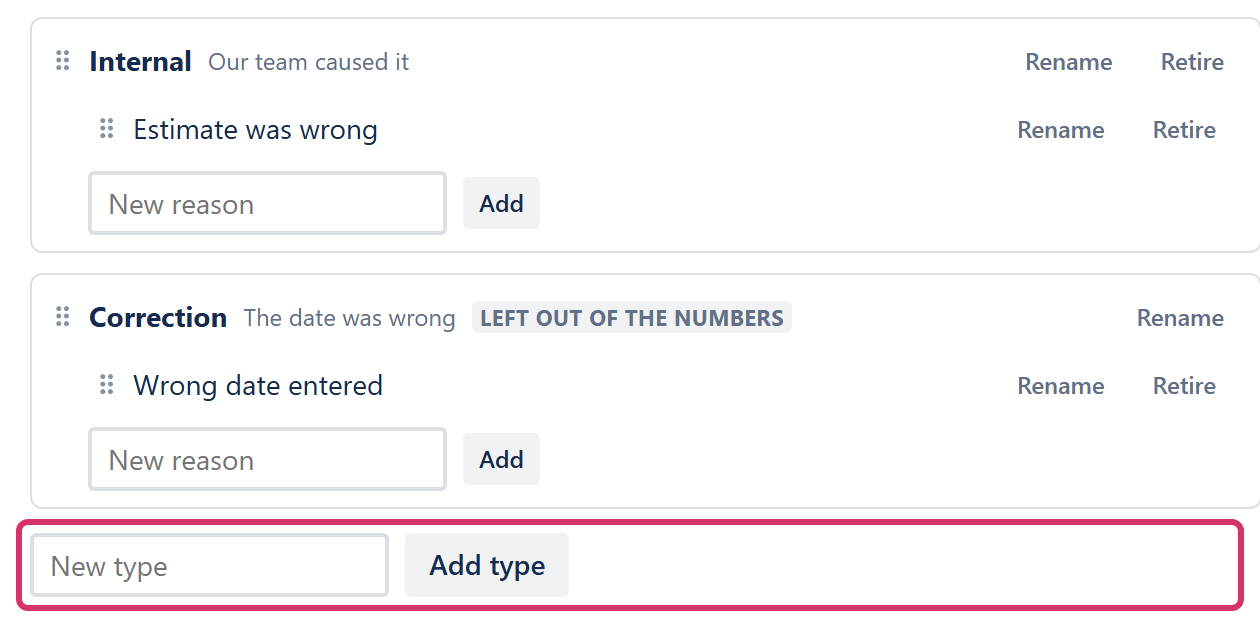
- To add a reason, type it in New reason under its type and select Add.
- To add a type, type it in New type under the list and select Add type. Then add its reasons.
- To rename a type or a reason, select Rename, type the new words and select Save.
- To take one off the list, select Retire. Select Restore to bring it back.
- To change the order, drag a type or a reason by its ⠿ handle.
Each change is saved straight away. The reason box shows the new list the next time it opens.
Renaming or retiring never changes a reason already given: it keeps the words it was saved with.
Correction can be renamed but not retired. It’s how people mark a date that was wrong rather than moved, and the report leaves those changes out of the numbers.
Require a comment
Section titled “Require a comment”Under Comment, turn the switch on if every reason must come with a written comment, for example in a regulated team. It’s off to start with: a reason from the list is enough. Other always needs a comment.

Next: Set up Enforce
© 2026 Morriblaze Ltd · Privacy policy