Get your first report
-
Open your project and select the Slipwatch tab.

No tab, or a message saying Slipwatch is switched off? See Common questions.
-
Slipwatch records due-date changes from the day it’s installed. To add the older ones from Jira’s history, select Read this project’s history. You only need to do this once for each project.

The blue message counts the work items read so far, for example Reading history: 50 of about 72 work items. You can leave the page; reading carries on without you.
-
Wait for the message to go. The report now holds every due-date change in the project.
The page is a column of blocks, starting with Summary. Each block has its own table. What the numbers mean explains every block.
What each column shows in All due-date changes
Section titled “What each column shows in All due-date changes”Each row is one due-date change, newest first.
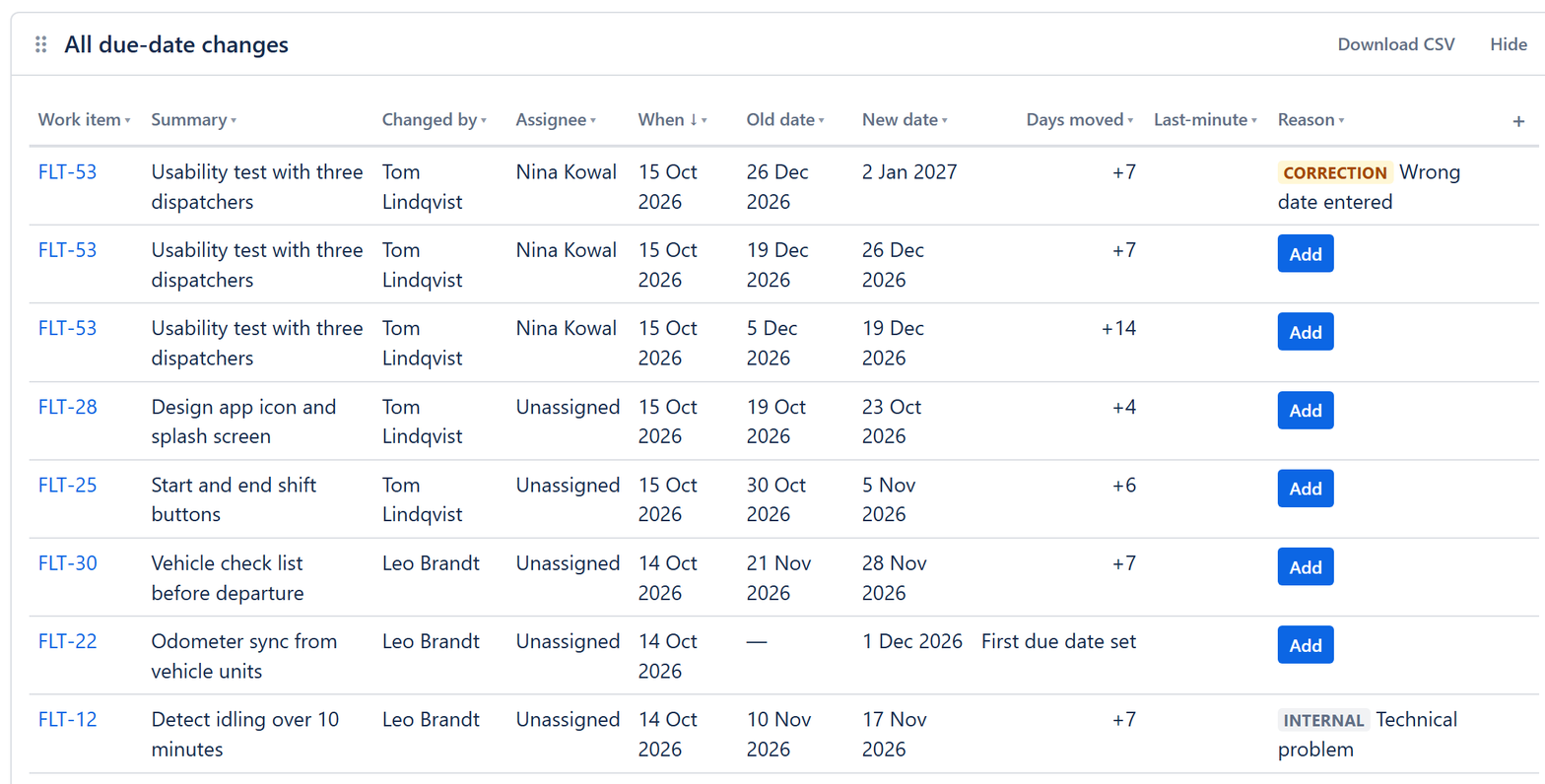
| Column | What it shows |
|---|---|
| Work item | The work item whose due date changed. Select it to open the work item. |
| Summary | The work item’s summary. |
| Changed by | The person who changed the date. |
| Assignee | Who the work item was assigned to when the date changed. |
| When | The day of the change, in your own time zone and date format. |
| Old date | The due date before the change. A dash means it had none. |
| New date | The due date after the change. |
| Days moved | How far the date moved: + later, − earlier. First due date set means the work item got its first due date. |
| Last-minute | The date moved within 2 days of the old due date. |
| Reason | The reason type and the reason given. Add means nobody has given one yet. |
More columns are a click away: select + at the end of the headings to add Work type, Epic, Time, For someone else or Comment. Select any heading to sort by it or hide it, and drag headings to reorder them. Slipwatch keeps your choices for you.
© 2026 Morriblaze Ltd · Privacy policy